
Understanding Agents in the Laravel AI SDK
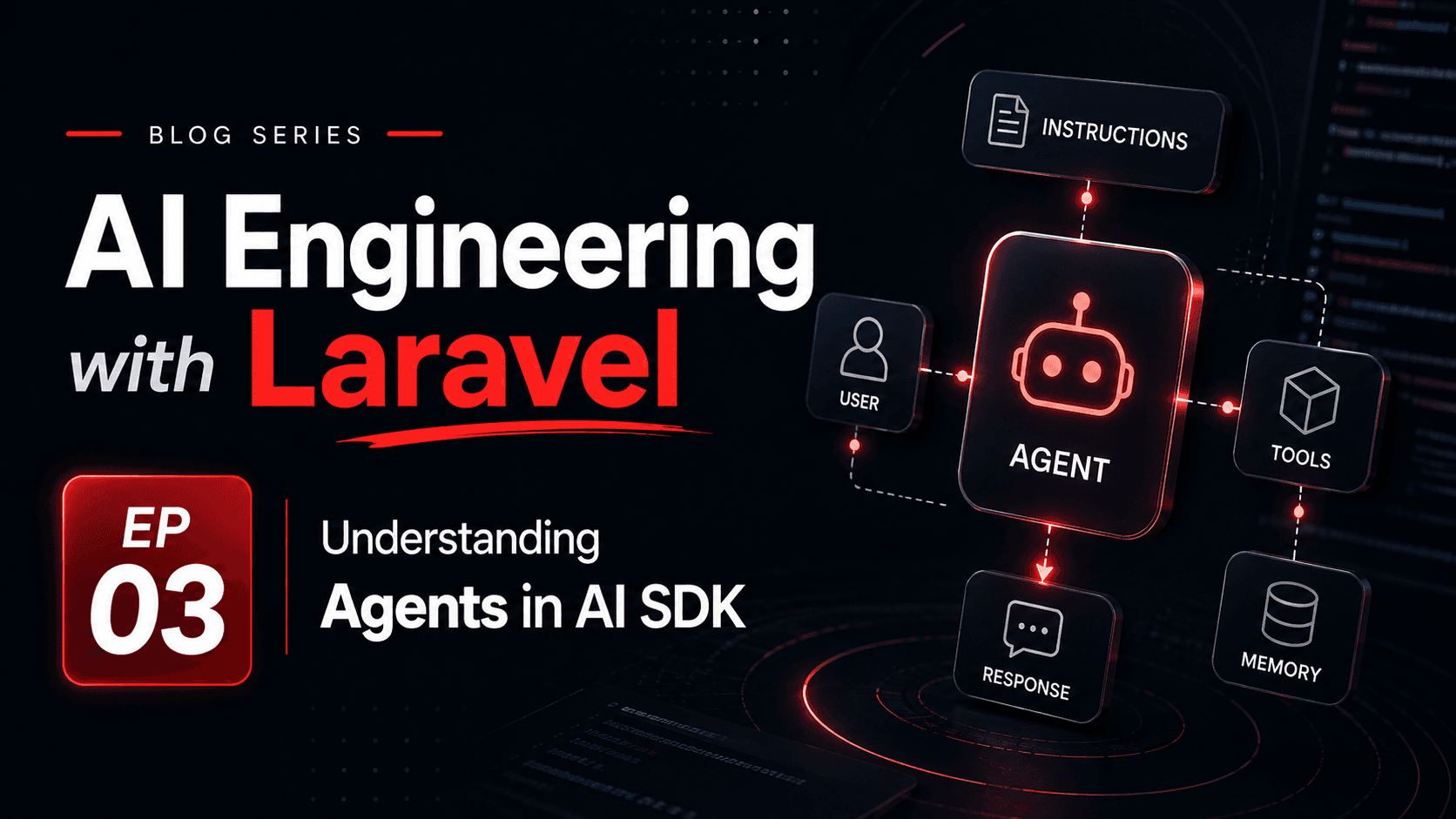
Agents are the main application-facing abstraction in the Laravel AI SDK. An agent is not a magical worker that owns your product logic. It is a dedicated PHP class that packages the model instructions, optional conversation context, tools, output contract, and generation settings for one AI-powered responsibility.
This distinction matters. The agent can decide how to respond within its configured boundary, but Laravel still owns authorization, validation, persistence, queues, retries, logging, and the final business decision. A good agent makes the AI behavior easier to review; it does not remove the need for normal application engineering.
What an Agent Represents
In the Laravel AI SDK, an agent is a class that implements the Agent contract and usually uses the Promptable trait. The official docs describe agents as dedicated PHP classes that encapsulate instructions, conversation context, tools, and output schema for interacting with a large language model.
That means an agent should have a clear job. A SupportSummaryAgent summarizes a support ticket. A ProductDescriptionAgent improves catalog copy. A RefundPolicyAgent explains policy from approved documents. When the name sounds like a department, the agent is probably too broad.
Instructions
The durable system prompt that tells the model what role it has, what task it performs, and what boundaries it must respect.
Context
The messages, records, or retrieved information Laravel chooses to provide for this specific request.
Tools
Controlled Laravel capabilities the agent can request, such as searching documents, checking an order, or drafting a record update.
Output contract
The shape of the response Laravel expects: plain text, structured data, a classification, a draft, or a tool result.
Generation settings
Model, provider, temperature, token limits, timeout, max steps, and provider-specific options.
A Minimal Agent Class
The smallest useful agent is a named class with clear instructions. The instructions should describe the job, the audience, the allowed behavior, and the refusal or uncertainty rules.
<?php namespace App\Ai\Agents; use Laravel\Ai\Attributes\MaxTokens;use Laravel\Ai\Attributes\Temperature;use Laravel\Ai\Contracts\Agent;use Laravel\Ai\Promptable; #[MaxTokens(900)]#[Temperature(0.3)]class SupportReplyDraftAgent implements Agent{ use Promptable; public function instructions(): string { return <<<'PROMPT'You draft support replies for a Laravel SaaS product. Write in a calm, helpful tone.Use only the ticket details and internal notes provided by the application.Do not promise refunds, credits, account changes, or engineering timelines.If information is missing, ask the support agent to verify it.Return a draft reply, not a final customer-visible decision.PROMPT; }}The important part is not the syntax. It is the boundary. The agent may draft a reply, but it may not promise account changes. That rule belongs in the agent instructions and should also be enforced by the Laravel workflow around it.
What Belongs Inside the Agent
An agent class is a good place for durable AI behavior: instructions, allowed tools, output schema, provider settings, and agent-specific middleware. It is not a good place for random controller input, hidden database queries, or business decisions that should be explicit in application code.
- Put stable task instructions in the agent.
- Put model configuration and token limits in attributes or configuration.
- Put allowed tools in the agent when the task genuinely needs external capabilities.
- Put output schema in the agent when Laravel expects structured data.
- Keep authorization in controllers, policies, actions, or services before the model call.
- Keep database writes, payment changes, and final approvals in deterministic Laravel code.
What Belongs Outside the Agent
The surrounding Laravel service should prepare trusted context, call the agent, validate the result, log usage, and decide how the product responds. This keeps the HTTP layer thin and keeps AI behavior inside a testable workflow.
<?php namespace App\Services; use App\Ai\Agents\SupportReplyDraftAgent;use App\Models\SupportTicket;use Illuminate\Support\Facades\Gate; class DraftSupportReply{ public function handle(SupportTicket $ticket): string { Gate::authorize('view', $ticket); $prompt = <<<TEXTDraft a support reply for this ticket. Subject: {$ticket->subject}Customer message:{$ticket->message} Internal notes:{$ticket->internal_notes}TEXT; $response = (new SupportReplyDraftAgent)->prompt($prompt); logger()->info('support_reply_draft.generated', [ 'ticket_id' => $ticket->id, 'input_tokens' => $response->usage?->inputTokens, 'output_tokens' => $response->usage?->outputTokens, 'total_tokens' => $response->usage?->totalTokens(), ]); return trim((string) $response->content); }}This service decides which ticket data enters the prompt. The agent receives only the context it needs. The model does not get direct access to the database, the user session, or the support team’s private workflow unless Laravel explicitly gives it a controlled tool.
The Agent Execution Loop
A plain model call is usually one request and one response. An agent can be more involved because tools and multi-step behavior may enter the loop. The model may answer directly, request a tool, receive tool output, and then produce a final response.
stateThis loop is why max steps and tool boundaries matter. A tool-using agent is more powerful than a simple prompt, but it also increases cost, latency, and the number of places where validation must be clear.
Tools Make Agents Useful and Risky
Tools let an agent ask Laravel to perform controlled work: search a knowledge base, retrieve an order, inspect a file, or prepare an action. The tool is where real application capability appears, so it must be narrow and permission-aware.
use App\Ai\Tools\FindRelevantHelpArticles;use Laravel\Ai\Contracts\HasTools; class SupportReplyDraftAgent implements Agent, HasTools{ use Promptable; public function tools(): iterable { return [ new FindRelevantHelpArticles, ]; } public function instructions(): string { return 'Draft support replies using only the ticket context and approved help articles.'; }}Do not expose broad tools such as “run SQL,” “call any internal API,” or “write to storage” just because the model might need something. Create smaller tools with explicit inputs, authorization, logging, and safe failure behavior. Read-only tools are a better starting point than write-capable tools.
Control Model Behavior with Attributes
The SDK supports attributes for model behavior such as provider, model, max steps, max tokens, temperature, timeout, and sampling options. These settings are product decisions, not decoration.
use Laravel\Ai\Attributes\MaxSteps;use Laravel\Ai\Attributes\MaxTokens;use Laravel\Ai\Attributes\Model;use Laravel\Ai\Attributes\Temperature;use Laravel\Ai\Attributes\Timeout;use Laravel\Ai\Contracts\Agent;use Laravel\Ai\Promptable; #[Model('gpt-5.1-mini')]#[MaxSteps(4)]#[MaxTokens(900)]#[Temperature(0.3)]#[Timeout(30)]class SupportReplyDraftAgent implements Agent{ use Promptable; // ...}Lower temperature is usually better for classification, extraction, policy explanation, and support workflows. Higher temperature may be useful for brainstorming or marketing copy. Max steps prevents an agent from calling tools indefinitely. Timeout and token limits protect user experience and cost.
Structured Output Turns an Agent into a Contract
When Laravel needs data, do not depend on a paragraph. Ask for structured output and validate it. For example, a ticket triage agent can return priority, category, confidence, and a short explanation. The UI can show the explanation, but the queue or routing logic should use validated fields.
Draft text
Good for support replies, explanations, summaries, and user-facing copy that a human may review.
Classification
Good for routing, sentiment, urgency, moderation, and workflow selection.
Extraction
Good for pulling fields from text, but every extracted value still needs validation.
Tool plan
Good for suggesting next actions, but Laravel should approve which actions actually run.
Structured output does not make the model deterministic. It makes the boundary easier to validate. Laravel still needs schema checks, enum checks, record existence checks, and fallbacks for invalid responses.
Observe Agents Like Product Workflows
Because an agent can involve multiple steps, tools, and provider calls, logging only the final text is not enough. Track the operational shape of the run so you can debug quality, latency, failures, and cost.
- Agent class and prompt version.
- Provider, model, temperature, max tokens, and max steps.
- Input tokens, output tokens, cached tokens, total tokens, and response time.
- Tool names requested, tool duration, tool failures, and denied tool calls.
- Validation status, fallback path, and whether a human edited the result.
- User or tenant identifier when it is safe and useful for cost attribution.
This logging should avoid sensitive prompt content unless your product and privacy rules explicitly allow it. In many systems, metadata is enough for dashboards while full prompt capture is reserved for controlled debugging environments.
Common Agent Design Mistakes
Most agent problems are not caused by the SDK. They come from vague responsibilities and weak boundaries. If an agent can do everything, it becomes hard to test, hard to observe, and hard to trust.
- Creating one “AssistantAgent” for unrelated product workflows.
- Putting authorization or database write decisions inside the prompt instead of Laravel code.
- Passing entire records when the task only needs two fields.
- Letting tools perform broad operations without narrow input validation.
- Using high temperature for workflows that need consistency.
- Treating model output as final truth instead of a draft, suggestion, or validated data structure.
- Skipping fallback behavior when the provider times out or the output fails validation.
Where Agents Fit in the Series
Agents give the Laravel AI SDK a clean place to package AI behavior. They are where instructions, tools, structured output, and model settings come together. But they should stay inside a larger Laravel workflow that controls data access, validation, cost, and user trust.
In the next episode, we will focus on prompt engineering in Laravel applications: how to structure instructions, context, constraints, examples, and output rules so agents become easier to understand and safer to change.
ChatGPT assisted with rewriting, formatting and the Bangla translation of this article.